

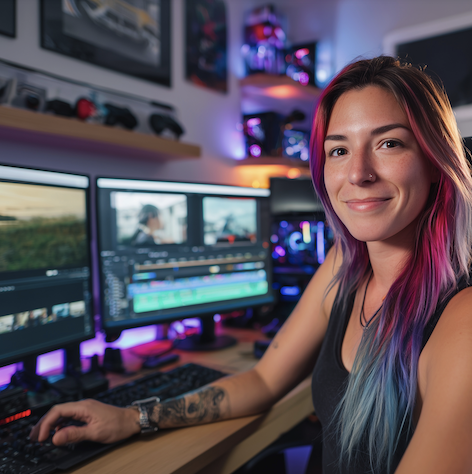
Video editing is one of the most in‑demand creative skills on the planet. Businesses, influencers, nonprofits and educators all rely on video to tell stories, sell products, teach concepts and entertain. Yet despite this exploding demand, many aspiring editors feel stuck: they love editing but don’t know where to start, how to get clients or whether freelancing is sustainable.
Many editors face the same challenge—especially at the beginning. This guide to landing a job as a video editor breaks down the steps to become employable fast (portfolio, positioning, and industry expectations).
The Direct Answer – Your Roadmap in Minutes
How do you become a freelance video editor? At a high level, you need to master editing skills, build a portfolio that proves your abilities, treat yourself as a business and aggressively pursue clients. This roadmap involves five core steps:
- Learn the craft. Become proficient in at least one industry‑standard editing suite (Adobe Premiere Pro, Final Cut Pro or DaVinci Resolve). Supplement it with skills in sound design, color grading and motion graphics.
- Build a portfolio. Assemble a demo reel and web presence showcasing diverse projects—personal experiments, re‑edits of public footage and client work if you have it. Highlight before‑and‑after transformations to prove your impact.
- Set up your business. Choose a legal structure (sole trader, limited company, etc.), open a dedicated bank account, draft contracts and set aside money for taxes. Decide on pricing models (hourly, per‑project or package) that reflect your expenses and goals.
- Find your first clients. Use freelance platforms (Upwork, Fiverr, Freelancer, PeoplePerHour), social networks (LinkedIn, Instagram, YouTube), local meetups and cold outreach to connect with clients. Tailor your proposals and follow up diligently.
- Develop business skills. Learn to negotiate, budget, market yourself, schedule projects and maintain client relationships. As a freelancer, half your job is editing and the other half is running a business.
This blueprint works whether you aim to edit YouTube videos, corporate explainers or social media ads. The rest of this guide fleshes out each part in detail, addresses common fears and explains how to adapt the process for specific situations.
Core Foundations – Building Blocks of a Sustainable Career
Understand What Freelance Video Editing Really Is
Freelance editing looks glamorous—flexible hours, creative projects and the freedom to choose clients. In reality, it’s a blend of artistry and entrepreneurship. Yes, you get to craft stories, experiment with transitions and colour palettes and work from anywhere. But you also must:
- Handle fluctuating workloads. Some weeks you’ll juggle multiple deadlines; others you may scramble for work. Having a financial buffer and diverse client sources is essential.
- Market yourself constantly. Unlike a salaried job where work arrives automatically, freelancers must pitch, network and promote. Networking becomes part of your weekly routine.
- Manage finances and taxes. Self‑employment means invoicing, tracking expenses, setting aside money for taxes and sometimes chasing late payments. Using accounting software and good contracts will protect you.
- Maintain equipment and software. You are responsible for your own gear and subscriptions. Investing in reliable hardware (a fast computer, external drives, backup systems) saves time and headaches.
Knowing this up front helps set realistic expectations. Many newcomers quit because they underestimate the business side of freelancing or overestimate how quickly work will arrive.
A fast storage setup matters more than most beginners think—especially for 4K files and multicam projects. Here are the best external hard drives for video editing to keep your workflow smooth and reliable.
Essential Technical Skills
You don’t need to master every editing software to succeed, but you do need a strong base in at least one professional tool and supporting skills:
- Video editing software proficiency. Learn the ins and outs of your chosen suite. Premiere Pro offers versatility; Final Cut Pro provides optimized performance on Mac; DaVinci Resolve has powerful colour grading. Understand timelines, trimming, multicam editing, keyframes and exporting settings.
- Sound design. Clean audio can make or break a video. Learn to balance dialog, music and effects; remove hums and pops; and layer sound creatively.
- Color correction and grading. Color influences mood and brand identity. Practice basic corrections (white balance, exposure) and creative looks using LUTs or manual grading tools.
- Motion graphics. Even simple lower thirds and animated logos elevate videos. Tools like After Effects (or built‑in motion features) allow you to create titles, transitions and infographic elements.
- File management and workflows. Learn to organise footage, proxies and project files. Use consistent naming conventions and backups to avoid disaster.
- Exporting for different platforms. Understand resolution, aspect ratios, frame rates and codecs for YouTube, TikTok, Instagram, TV and corporate presentations.
Crucial Soft and Business Skills
Being a great editor isn’t enough; you must also be a reliable collaborator. Focus on developing these abilities:
- Communication. Listen to clients’ vision, ask clarifying questions and translate feedback into actionable changes. Clear communication prevents misunderstandings and revision cycles.
- Time management. Freelancers juggle multiple projects. Use calendars, to‑do lists and project management tools to break work into tasks, estimate time accurately and meet deadlines.
- Problem‑solving. Technical glitches, corrupt files and creative roadblocks happen. Cultivate patience and resourcefulness. Online communities and tutorials can often provide solutions.
- Negotiation. Learn to discuss scope, pricing and deadlines confidently. Clients often push for more work for less pay; having clear boundaries and knowing your value is vital.
- Marketing and personal branding. Build an online presence, network, craft persuasive proposals and follow up. Share your work regularly to stay visible.
- Financial literacy. Track income and expenses, save for taxes, plan budgets and invest in your business wisely. Consider consulting an accountant when your revenue grows.
Choosing and Learning Your Tools
It’s easy to obsess over the “best” software. In reality, clients care more about results than which program you use. Choose one editor and master it thoroughly. Here are the most common:
- Adobe Premiere Pro. Industry standard for many professional editors, widely used in agencies, corporate settings and social media. Its integration with After Effects and Audition makes it a versatile suite.
- Final Cut Pro. Popular with Mac users and YouTubers because of its speed and intuitive interface. Great for quick turnarounds and 4K editing on Apple hardware.
- DaVinci Resolve. Known for high‑end color grading and a free version that’s surprisingly robust. Increasingly used in film and commercial work.
Supporting tools include:
- After Effects for motion graphics and visual effects.
- Audition or Logic Pro for advanced audio work.
- Blender or Cinema 4D for 3D elements.
- Notion, Trello or Asana for project management.
- AI helpers like Runway ML (background removal and VFX), Descript (AI‑powered transcription and text‑based editing), and built‑in AI features in Adobe Sensei or Premiere (auto reframing, speech‑to‑text). AI augments your workflow but doesn’t replace creative judgment—lean on it to save time, not as a crutch.
If you’re still deciding what to learn first, this best video editing software in 2025 comparison will help you pick the right tool based on your goals (YouTube, corporate, film, social).
Building Your Portfolio and Demo Reel
A polished demo reel is your primary marketing tool. Without it, clients cannot evaluate you. To build one:
- Create personal projects. If you lack client work, re‑edit public domain footage or film your own material. You could recut trailers, make highlight reels from sports games or edit travel clips to showcase pacing and narrative skills.
- Show diversity. Include different styles: commercial, social media, corporate training, music videos or documentaries. This signals adaptability.
- Highlight transformations. Before‑and‑after comparisons demonstrate how you elevate raw footage. Show the original clip briefly, followed by your polished edit.
- Keep it concise. Aim for 1–2 minutes of your best work. Busy clients won’t watch long reels.
- Host it professionally. Use platforms like Vimeo for high‑quality playback, YouTube for accessibility, Behance for creative exposure or your own website. A custom domain (e.g., yournameediting.com) signals professionalism.
- Include context. If possible, provide a line or caption explaining your role—e.g., “Edited, colour graded and designed motion graphics for product launch video.”
Remember that your portfolio is a living document. Update it regularly as you complete new projects and remove older or weaker examples.
Setting Prices and Managing Money
One of the biggest questions is “How much should I charge?” Rates vary widely by experience, project complexity, client type and geography, but here are guidelines:
- Beginners: Many new editors start around $20–$50 per hour or $100–$300 per finished minute of video, especially for social media content. Lower rates can help you build your client base, but avoid pricing so low that you lose money.
- Intermediate: Editors with a few years’ experience and a solid portfolio often charge $50–$100 per hour or several hundred dollars per project. Complexity (motion graphics, colour grading, sound mixing) warrants higher fees.
- Professional: Experienced editors or specialists (commercials, documentaries, high‑end YouTube channels) may command $100–$300 per hour or thousands per project. Premium clients value speed, reliability and creative insight.
Pricing is one of the biggest make-or-break skills for freelancers. This breakdown of video editing rates helps you price by project type, complexity, and client budget—without undercharging.
When calculating rates, consider:
- Your expenses. Equipment, software, insurance, marketing, coworking spaces and taxes all cut into profit. A general rule is to set aside 25–30% of income for taxes.
- Time investment. Editing a 5‑minute YouTube video may take eight hours once you factor in sourcing b‑roll, revisions and exporting multiple formats. Estimate time accurately so you don’t undercharge.
- Client budgets. Corporate clients typically have larger budgets than individual creators. Don’t assume one size fits all; tailor your offer to the value you bring.
- Pricing structure. Decide whether to charge hourly, per project, per finished minute or via tiered packages (e.g., basic cut, standard with colour & sound, premium with motion graphics). Packages provide clarity and make it easier to upsell.
Finally, separate personal and business finances. Use a dedicated business bank account and accounting software. Track invoices, follow up on late payments and consider working with an accountant or using freelance tax apps to stay compliant.
Finding Your First Clients
Securing clients is often the hardest part, but multiple avenues exist:
Freelance Platforms
Spread yourself across multiple platforms to diversify income and test which ones yield the best clients. Don’t rely solely on one marketplace.
Social Media and Networking
- LinkedIn: Optimise your profile with a clear headline (e.g., “Freelance Video Editor | Storytelling & Motion Graphics”), upload your reel and publish articles or posts about your projects. Connect with marketing agencies, production companies and business owners. Engage with their content before pitching.
- Instagram and TikTok: Post short, eye‑catching edits, behind‑the‑scenes clips and before‑and‑after comparisons. Use relevant hashtags (#videoeditor, #colorgrading) and tag brands or creators you’d like to work with. These platforms showcase your style and attract clients who need fast‑paced social content.
- YouTube: Building a channel not only serves as a portfolio but can create additional revenue through ad monetisation and affiliate marketing. Share tutorials, breakdowns of your edits or analyses of popular video styles.
- Facebook groups, Discord servers and forums: Join communities for filmmakers, content creators or entrepreneurs. Contribute useful advice, answer questions and share your work when relevant. Relationships often lead to referrals.
Cold Outreach and Referrals
While platforms and social media are useful, many freelance editors secure work through proactive outreach. Research small businesses, YouTubers or podcasters whose videos could be improved. Draft a personalised email explaining who you are, how you can help and include a link to your reel. Offer to complete a small edit or provide a free audit of their current videos. Persistence pays—follow up politely if you don’t hear back.
Referrals are powerful. After completing a project, ask your client if they know anyone else who might need an editor. Incentivise referrals with a discount on future work. A satisfied client who sings your praises is better than any advertisement.
Mistakes to Avoid
- Undervaluing your work. Charging far below market rates can trap you in a cycle of low‑paying jobs and hurt the industry. Price competitively and raise rates as you gain experience.
- Accepting every job. It’s tempting to accept anything when starting out, but not all clients or projects are worth your time. Be wary of unrealistic deadlines, unclear briefs and those who resist signing a contract.
- Poor communication. Ghosting clients, missing deadlines or failing to clarify feedback damages your reputation. Communicate proactively.
- Lack of boundaries. Set expectations around revisions, response times and scope. Unchecked revision requests will eat into your profit.
- Neglecting personal development. Stay updated with trends (short‑form vertical video, AI tools, 360° video), attend workshops and learn new software. Complacency leads to stagnation.
Specific Cases & Advanced Scenarios
Freelancing isn’t one‑size‑fits‑all. Different starting points and goals require tailored strategies. This section explores common scenarios and how to navigate them.
Transitioning from a 9‑to‑5 Job
Leaving a salaried position for freelance life is both exciting and risky. Here’s how to minimise stress:
- Start freelancing while employed. Build a side client base to test the waters and gauge income potential before quitting your job. Use evenings and weekends to complete small projects.
- Create a financial cushion. Freelance income fluctuates; aim to save at least 3–6 months of living expenses. This buffer helps you handle slow periods without panic.
- Develop a unique selling point. Maybe you specialise in corporate training videos, cinematic colour grading or YouTube storytelling. A clear niche makes marketing easier and attracts better‑matched clients.
- Give notice professionally. Once you have steady clients and savings, resign from your job respectfully. Maintain relationships with colleagues; they could become future clients or referrals.
- Be prepared for an identity shift. In a salaried role, your responsibilities are defined. Freelancing requires constant self‑direction. Make daily plans, set goals and track progress to stay motivated.
Starting with No Experience
Everyone starts somewhere. If you have zero professional experience:
- Educate yourself systematically. Follow structured courses (online platforms like Coursera, LinkedIn Learning, Skillshare or specialized editing schools) to learn fundamentals. Supplement with YouTube tutorials for specific techniques.
- Practice relentlessly. Film your own footage or download free clips from platforms like Pexels and Pixabay. Edit trailers, music videos or vlogs to hone pacing, storytelling and technical skills.
- Volunteer or barter. Offer to edit videos for friends, local charities or student filmmakers in exchange for testimonials and portfolio pieces. The experience matters more than money at this stage.
- Join communities. Engage in Reddit, Discord or Facebook groups for aspiring editors. Ask for feedback on your work and participate in editing challenges.
- Document your growth. Share your improvement journey on social media. Prospective clients appreciate transparency and seeing how you solve problems.
Navigating Different Editing Software
Maybe you’re self‑taught in iMovie but clients require Premiere Pro. Or you learned in Final Cut but want to add DaVinci Resolve to your toolkit. Here’s how to cross‑train:
- Master fundamentals first. Timeline editing, pacing, storytelling and file organisation are universal. Once you understand these concepts, switching software involves learning new shortcuts and interfaces, not new editing theory.
- Utilise trial versions. Most software offers free trials or free versions (e.g., DaVinci Resolve). Use these periods to explore the interface, watch tutorials and replicate previous projects.
- Customise keyboard shortcuts. Adapting shortcuts to match your muscle memory speeds up the transition. For example, mapping “cut,” “ripple delete” and “zoom” to familiar keys.
- Leverage community resources. Forums and YouTube channels provide guides specifically for switching from one program to another. Don’t reinvent the wheel.
- Keep your source files organized. Converting projects across software can be messy; maintain clear folder structures and export high‑quality renders when migrating.
Specialising in Niches
The video industry spans countless niches. Tailoring your services to a particular sector can help you stand out and command higher rates. Consider these options:
YouTube and Social Media Editing
- Styles: Fast‑paced cuts, text overlays, memes, subtitles and jump cuts designed to maintain viewer attention. Vertical and square formats for TikTok, Instagram Reels and YouTube Shorts are essential.
- Workflow: Often requires repurposing the same footage for multiple platforms. Efficiency and consistency are key.
- Income model: Can be project‑based or retainer packages (e.g., editing four videos per month for a flat fee). Many creators hire long‑term for ongoing content.
- Opportunity: With millions of channels and brands focusing on social video, demand is huge. Staying updated on platform trends (e.g., trending sounds on TikTok) gives you an edge.
Corporate and Educational Videos
- Styles: Polished pacing, professional lower thirds, clear audio and brand adherence. Projects include training modules, product demos, event coverage and webinars.
- Workflow: Often involves working with marketing or communications teams, adhering to corporate guidelines, and navigating multiple stakeholder revisions.
- Income model: Typically higher budgets than individual creators. Pricing can be hourly or per finished minute; packages might include filming days, editing and graphics.
- Opportunity: Businesses always need video content for internal and external communication. Building relationships with agencies or companies can lead to recurring work.
Advertising and Commercial Work
- Styles: High production value, storytelling within short timeframes (15–60 seconds) and strong call‑to‑action. May require collaboration with directors, cinematographers and sound designers.
- Workflow: Deadlines are often tight, with extensive client feedback. You may work with creative directors or agencies.
- Income model: Budgets vary widely but can be lucrative. Rates per finished second or per project are common.
- Opportunity: Building a reputation here can lead to prestigious work and portfolio pieces that impress other clients.
Long‑Form Content and Documentaries
- Styles: Narrative structure, pacing variations, character development and advanced audio mixing. Projects can span weeks or months.
- Workflow: Heavy footage organisation, storyboarding and collaboration with directors or producers. Colour grading and sound design become critical.
- Income model: Usually contracted per project; budgets reflect the complexity and length. Payment may be staged in milestones.
- Opportunity: Fewer editors specialise in long‑form content, so expertise here is valued. You’ll need patience and the ability to work closely with filmmakers.
Whichever niche you choose, study its best practices. Watch leading examples, reverse‑engineer their editing choices and tailor your portfolio accordingly. You can still accept diverse projects, but marketing yourself as a specialist makes you memorable.
Scaling Your Income Over Time
Once you have regular clients and steady income, think beyond trading hours for dollars. Here’s how to grow:
- Offer additional services. Learn motion graphics, animation, colour grading, sound design, YouTube SEO or social media strategy. Bundling these with editing increases your value and allows you to charge more.
- Create productised packages. Develop tiered offerings, such as “Basic Social Video,” “Premium Corporate Explainer” or “Full Podcast Production.” Clear packages simplify sales conversations and justify higher prices.
- Retainers and subscriptions. Secure predictable income by offering monthly editing packages for creators or businesses who need consistent content. For example, editing four podcast episodes monthly for a fixed fee.
- Build a team or studio. If demand exceeds your capacity, collaborate with other editors, motion designers or assistants. This allows you to take on larger projects while maintaining quality. Ensure you account for overhead and team management time when pricing.
- Develop passive income streams. Create and sell editing templates, transition packs, LUTs or online courses. Share knowledge via e‑books or workshops. Passive income buffers slow months and positions you as an authority.
- Stay ahead of trends. Adopt new formats (360° video, AR/VR), experiment with AI‑driven editing tools and integrate automation responsibly. Being an early adopter helps you command premium rates and attract forward‑thinking clients.
Overcoming Psychological Barriers
Two common hurdles plague new freelancers: imposter syndrome and fear of instability.
Dealing with Imposter Syndrome
Feeling like you’re not “good enough” is common, even among seasoned editors. Combat it by:
- Practising deliberately. The more you edit, the more confident you become. Each completed project is evidence of your skill.
- Seeking feedback. Share work with mentors or peers who can offer constructive critique. Hearing that others appreciate your work reinforces your abilities.
- Recognising progress. Compare current projects to those from six months ago. Documenting improvement will motivate you.
- Understanding client priorities. Many clients hire editors to save time, not necessarily to get a film‑festival‑level cut. If you deliver on schedule and communicate well, you provide immense value.
Handling Income Fluctuations and Burnout
The irregular nature of freelance work can be stressful. Mitigate it by:
- Budgeting for slow periods. Calculate your average monthly expenses and ensure you have enough savings to cover dry spells.
- Diversifying clients. Don’t rely on a single source of income. Spread your workload across different niches and platforms.
- Setting boundaries. Define working hours and stick to them. Take regular breaks to avoid burnout. Schedule personal projects to keep creativity alive.
- Prioritising health. Sitting for hours editing can take a physical toll. Invest in ergonomic furniture, exercise, and practice eye care. A healthy body sustains long careers.
Navigating the Impact of AI and Automation
Rapid advances in generative AI sometimes scare editors into thinking their work will become obsolete. In reality, AI is a tool rather than a replacement. It accelerates tasks like transcription, background removal and rough cuts, but human judgment, storytelling, emotion and nuance remain irreplaceable. Position yourself as an editor who embraces AI to deliver faster results while enhancing creative decisions. Clients will value your efficiency and insight over a purely automated output.
Final Thoughts – Your Path Forward
Becoming a freelance video editor is equal parts craft and hustle. The craft demands technical expertise, creative sensitivity and a keen eye for narrative. The hustle requires marketing, networking, negotiation and financial acumen. Those who succeed marry both sides.
Start with honest self‑assessment. Identify what genres excite you most and where your strengths lie. Invest time in mastering a core editing tool and understanding complementary skills like sound, colour and motion graphics. Assemble a portfolio even if it means creating personal projects or volunteering. Treat your freelancing like a business—set up proper accounts, write contracts and budget for taxes.
Then, put yourself out there. Use freelance platforms to gain initial gigs, but don’t neglect direct outreach and networking. Ask for feedback, constantly refine your portfolio and increase your rates as your expertise grows. Experiment with niches and adopt new tools and trends to stay relevant.
Finally, remember that there is no single “right” path. Some editors thrive on social media content, others on documentaries or commercials. Some build agencies, others remain solo consultants. Define success on your terms and build a career that supports your lifestyle and aspirations.
In the end, the demand for engaging video is higher than ever. Companies, creators and educators all need skilled editors who can tell stories, evoke emotion and elevate raw footage into polished narratives. If you pair creative passion with business savvy, freelancing offers an opportunity not just to earn a living but to shape the visual stories that define our era. Now is the perfect time to turn your editing skills into a thriving freelance career.


